

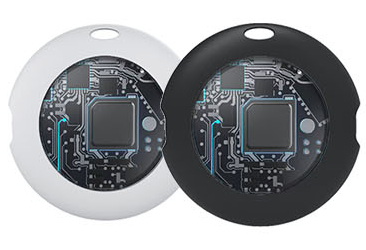


How to Disable & Re-enable Your RSHIONG YU7 Tracker
How to Disable a RSHIONG YU7
Your RSHIONG YU7 can be disabled to stop it from sharing its location. Once disabled, it will no longer report its position to Apple's Find My network, and the owner will no longer receive updates on its current location.
If you receive a notification on your mobile device that an unknown RSHIONG YU7 has been detected near you, you can trigger the device to ring directly from the system alert. After locating the item, follow the steps below to disable it. Once completed, the owner will no longer get location updates for this tracker, and the device will stop triggering unknown tracker alerts on your device.
Method 1: Disable via Button Press
1.Locate the central button on the RSHIONG YU7 device.
2.Press and hold the button for approximately 30 seconds. The device will beep once per second during this time.
3.Release the button after you hear the 10th beep.
4.A confirmation tone from the device indicates the disable process is complete.
Method 2: Disable by Removing the Battery
5.Use your fingernail or a small flat tool to pry into the side gap of the RSHIONG YU7.
6.Carefully open the device casing.
7.Remove the internal battery.
8.Align the top clips of the upper and lower casing, then snap the device back together.
How to Re-enable a RSHIONG YU7 Tracker
Method 1: Restart via Button Press
9.Simply press the button on the RSHIONG YU7 to reactivate the device.
10.A confirmation tone will play to indicate the re-enable process is complete.
Method 2: Restart by Reinstalling the Battery
11.Use your fingernail or a small flat tool to pry into the side gap of the RSHIONG YU7.
12.Carefully open the device casing.
13.Insert a new CR2032 coin cell battery with the positive (+) side facing up.
14.Align the top clips of the upper and lower casing, then snap the device back together.
Additional Notes
This is the official operation guide for RSHIONG YU7 trackers, fully compatible with Apple's Find My ecosystem. All operations work seamlessly with the iOS Unknown Tracker Alert feature, helping users properly handle alerts for unfamiliar tracking devices.
Copyright © 2021 - 2026 , All Rights Reserved